
OpenStudyInfo is not affiliated with the University of Delhi, DU SOL, CDOE or COL. Check the latest official notice or prospectus before making a payment or requesting a refund.
What Is a DU SOL Fee Receipt?
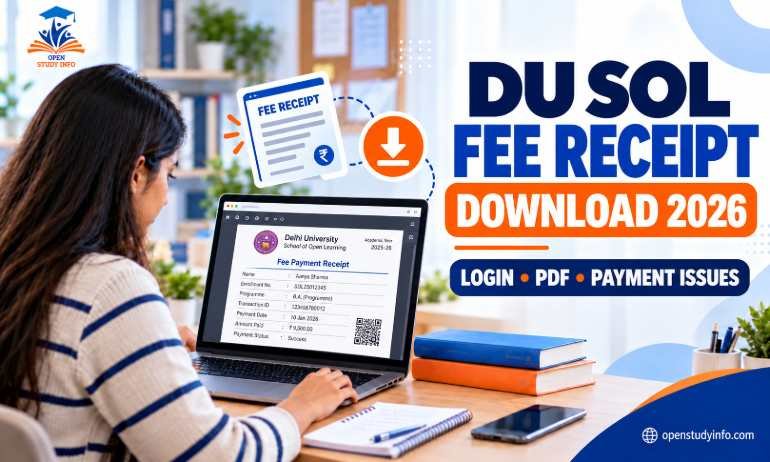
A DU SOL fee receipt is proof that you paid an admission or programme fee. It is separate from your student ID card, hall ticket and examination-form acknowledgement. The 2026–27 admission information says that, after successful payment, the fee receipt and identity card can be downloaded from the relevant admission route.
Save the original PDF as soon as it becomes available. A screenshot may not contain the complete transaction details needed for a refund request or a payment query.
Who Can Download the Fee Receipt?
For new admissions, document verification may be required before the payment link appears. The UG admission guidance states that verification can take a minimum of three to five days. Do not apply that timing automatically to every portal or batch.
Where Can You Find Your DU SOL Fee Receipt?
Open sol.du.ac.in yourself and choose the route that matches your admission year. The homepage currently separates admission links, Student Dashboard (Medha Setu) for students admitted from 2025 onwards, and older-student services.
If you are using the UG admission route, the portal may ask for your registered email, mobile number, SOL roll number, password or control number. Use only the fields displayed on the live official page. Do not rely on a login link forwarded in a group.
How to Download the DU SOL Fee Receipt 2026
Open the official website
Type sol.du.ac.in in your browser instead of opening an unverified forwarded link.
Select the correct student route
Choose UG/PG admission or Student Dashboard (Medha Setu), depending on your admission year and programme.
Log in with your own details
Enter the details requested by the live portal. Never share your password or OTP with an agent.
Open the payment or documents section
Look for Fee Receipt, Payment Receipt, Download Documents or a similar option. The label may change between portals.
Download and save the PDF
Keep the original PDF on your phone and email or cloud storage. Print it only if an office asks for a hard copy.
What Should You Check on the Receipt?
| Detail | What to verify |
|---|---|
| Student information | Name, programme and admission year/session. |
| Payment information | Amount, payment date, transaction/reference number and status. |
| Bank match | Reference and amount should match your bank SMS or statement. |
| File | Download the original PDF instead of relying on a screenshot. |
Fee amounts differ by programme and category. For the payable amount, see our DU SOL Fees Structure 2026–27 guide.
Payment Successful but Fee Receipt Is Not Showing
Do not pay again immediately. First, confirm that the payment was actually deducted and that you are using the correct admission-year portal.
- Log out and sign in again from the official SOL homepage.
- Try a current browser or another device and check the Downloads folder.
- Keep the bank SMS, transaction reference, date and amount as evidence.
- Check the registered email for a payment confirmation.
- If the status remains pending, contact SOL through the current official helpdesk or grievance route.
The official UG admission FAQ asks students whose money was deducted while the status remains pending to email their name, registered email address, date and time of payment, and proof of payment to admission@sol.du.ac.in. Confirm the address on the live official page before sending anything.
Payment Taken but Status Is Pending
Older SOL admission pages contained a payment-cancellation instruction for some pending receipts, but we could not confirm that the same instruction applies to the current 2026–27 portal. Follow it only if the live portal currently displays it. Otherwise, contact the official admission helpdesk and keep your bank proof. Do not raise a bank chargeback unless the official authority instructs you to do so.
If the current prospectus gives a separate payment-gateway email, copy the address and required details from that current prospectus. Gateway contacts can change between sessions.
Fee Receipt vs Other DU SOL Documents
| Document | Main purpose | It cannot replace |
|---|---|---|
| Fee receipt | Evidence of admission or programme-fee payment. | Student ID card or hall ticket. |
| Student ID card | Identifies you as a SOL student. | Proof of fee payment. |
| Hall ticket | Exam-entry document with examination details. | Admission-fee receipt. |
| Exam-form acknowledgement | Evidence that an examination form was submitted. | Admission or programme-fee receipt. |
For the related documents, see our DU SOL ID Card Download 2026, DU SOL Hall Ticket 2026 and DU SOL Examination Form guide.
Can the Fee Receipt Be Used for Refund or Library Queries?
The SOL prospectus lists the fee receipt among the documents required for an admission-withdrawal or fee-refund request, along with other self-attested documents. Refund eligibility and deductions depend on the applicable deadline and current university/SOL rules, so check the latest refund notice before applying.
The PG prospectus also mentions carrying the fee receipt with the ID card for library use. The UG prospectus does not clearly confirm the same library requirement. Keep both documents safely available.
Incorrect Details on the Receipt
Do not edit the PDF yourself. Compare it with your application and payment records, save screenshots, and contact the official helpdesk or COL-GRAM grievance route with your roll number, programme and the exact correction required. A legally changed name may require a separate university process.
Safety Tips for Students
- Reach every portal from sol.du.ac.in.
- Never share your OTP, password, control number or card details.
- Do not pay an agent to download a receipt.
- Save the original PDF and bank transaction evidence.
- Use our Student Tools only for guidance; the university portal remains final.
Frequently Asked Questions
How do I download my DU SOL fee receipt 2026?
Open sol.du.ac.in, choose the correct admission-year route, log in and look for the payment, fee receipt or documents option. Save the original PDF.
Where can I find my DU SOL fee receipt?
The exact menu name is not confirmed for every portal. Start from the official SOL homepage and use the admission or Student Dashboard route for your batch.
What if payment is successful but the receipt is missing?
Do not pay again. Log in again, confirm the correct portal, save your bank proof and contact the official admission helpdesk if the status remains pending.
Can I use the fee receipt as my ID card?
No. The fee receipt proves payment; the ID card identifies you as a student.
Can older students download a fee receipt?
The current site does not clearly confirm one common route for every pre-2025 batch. Check the official route for your batch or contact SOL.
Is there a charge to download the receipt?
No separate download charge was identified in the 2026–27 admission information. Never pay an agent for access to your own receipt.
Final Checklist
- Started from sol.du.ac.in.
- Used the correct admission-year portal.
- Downloaded the original PDF.
- Checked name, programme, session, reference, date, amount and status.
- Saved bank proof and transaction details.
- Did not make a duplicate payment.
- Contacted the official helpdesk if anything was missing or incorrect.
Official Sources Checked
- SOL/CDOE official homepage
- Official UG admission FAQ
- UG and PG Prospectus 2026–27 available from the official SOL website
- Official SOL helpdesk and COL-GRAM links available from the SOL homepage
Last checked: 31 October 2026. Portal labels, payment routes and notices can change. OpenStudyInfo is an independent student-help website.