
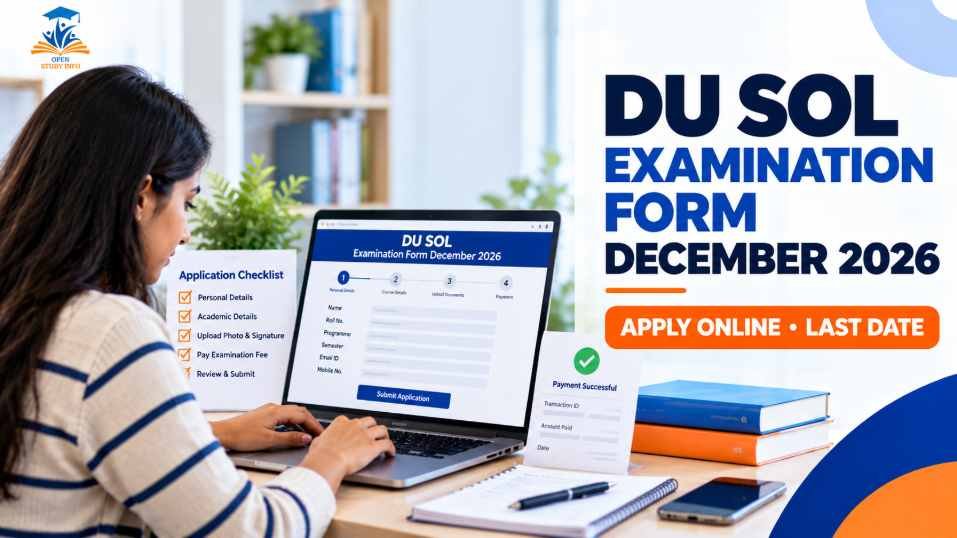
Yes — the DU SOL examination form for the December 2026–January 2027 exams is live. The University of Delhi Examination Wing issued the notification on 1 September 2026 for Regular, NCWEB and SOL students in UG and PG Semesters I, III, V, VII and IX. The latest extension notice lists 15 November 2026 as the last date. Start from sol.du.ac.in, choose the link matching your admission year and programme, and save the final receipt after payment.
Important: The examination fee, late-fee amount and a correction window were not confirmed in the official pages reviewed on 22 October 2026. Check your programme notice and the amount displayed inside your portal before paying.
The DU SOL examination form is separate from the admission form. It is the registration you complete for the examination session. Before you begin, confirm that your admission details are active, you are using the correct admission-year link and the papers shown on the form belong to your semester.
DU SOL now operates under the Centre for Distance and Online Education (CDOE), but the SOL name remains on the student portals. If you are unsure about the institution’s names, our DU SOL full-form guide explains them in plain language.
DU SOL December 2026 examination form at a glance
Who needs to fill the DU SOL examination form?
The 1 September notification covers UG and PG students in Semesters I, III, V, VII and IX. On the official SOL website, the forms are separated by admission year and programme, so selecting the right link is more important than simply opening the first “exam form” button you see.
| Student situation | What the official page shows | What to check |
|---|---|---|
| UG student admitted in 2025 or later | Examination Form for All UG Programmes Students through Medhasetu. | Use the admission-year and programme details shown after login. |
| PG student admitted in 2025 or later | Separate PG examination form through Medhasetu for M.A., M.Com, MBA, BLISc, MLISc and PGDADLM listed programmes. | Confirm your programme and semester before submitting. |
| UG student admitted in 2022–23, 2023–24 or 2024–25 | Separate UG form for 3rd Year Promoted, Ex Students and 4th Year Ex Students. | Read the notice carefully; do not assume every older batch uses the same link. |
| Student continuing into the 4th year | Separate 4th Year Programme examination form. | Open the CDOE extension notice for the exact date applicable to your form. |
| Older-batch PG student | Separate PG examination form is listed. | Use the older-batch instructions rather than the newer Medhasetu route. |
Back papers and improvement: The pages reviewed did not set out a complete reappear or improvement rule for this session. The older UG link mentions “Ex Students”, but check your notice and academic record before assuming that a paper can be retaken.
Important dates for the DU SOL December 2026 exam form
| Activity | Official position checked on 22 October 2026 | What you should do |
|---|---|---|
| Form notification | Issued on 1 September 2026. | Read the notice for your programme and semester. |
| Last date | 15 November 2026 in the extension notice. | Submit and pay well before the final day. |
| 4th Year form | A separate CDOE extension notice was issued on 14 October 2026. | Use that notice for your exact 4th Year instructions. |
| Late-fee period | Not confirmed in the notices reviewed. | Do not rely on social-media claims; check your programme notice. |
| Correction window | Not announced in the notices reviewed. | Check every paper and personal detail before final submission. |
Extensions have been issued before, but I would not plan around another extension. Treat 15 November as your real deadline and leave enough time to fix a failed payment or wrong paper selection.
DU SOL exam form fee and late fee
I could not verify a single official December 2026 examination-fee figure from the pages checked on 22 October 2026, so I am not quoting an amount that may be wrong. Your portal should display the payable amount before payment. Compare it with the notice for your programme, especially if the amount depends on the number of papers or the course.
The same caution applies to any late fee. Do not treat a fee shared on YouTube, Telegram or WhatsApp as an official DU SOL fee. If the amount displayed on the portal does not match your notice, stop before paying and contact the official helpdesk.
How to fill the DU SOL examination form online
Start at the official website
Type sol.du.ac.in yourself. Avoid signing in through a forwarded WhatsApp or Telegram link.
Choose your programme link
Open the examination-form section and select the link matching your admission year, UG or PG programme and semester.
Log in carefully
Medhasetu asks for the SOL roll number or exam roll number, password or control number and captcha. The older PG form asks for the SOL roll number and barcode number.
Check your academic details
Confirm your name, programme, semester and the paper codes shown. Match them with the applicable date sheet before continuing.
Pay and save proof
Review the payable amount, complete payment through the portal, then save the final confirmation, receipt and transaction ID as a PDF.
Keep your login details, programme information and date sheet open while filling the form. Our Medhasetu login guide may help if your control number or login screen is causing trouble.
Details and documents to keep ready
- SOL roll number or examination roll number.
- Password or control number for Medhasetu, or barcode number for the older PG form.
- Your programme, semester and expected paper codes.
- Registered mobile number and email address.
- A working payment method with enough balance.
Upload a document only if the form specifically asks for it. Do not send personal documents to an unofficial email address or an unverified social-media account.
How to check DU SOL exam form status
Log in again to the same portal after submitting the form. The wording can differ between portals, but these statuses generally indicate the following:
| Status you may see | What it usually means | What to save |
|---|---|---|
| Form submitted | Your details are saved, but confirm that the fee has also been paid. | Confirmation page or application number. |
| Payment successful | The transaction went through. Confirm the portal shows it, not only your bank app. | Receipt and transaction ID. |
| Verified or approved | If your portal has this stage, the form has been accepted for processing. | Status screenshot and receipt. |
| Rejected or incomplete | Something may be missing, such as payment or paper selection. | Error message and all payment proof. |
What to do if DU SOL exam-form payment fails
| Problem | Safer next step |
|---|---|
| Money deducted but the form shows unpaid | Do not pay again immediately. Recheck the portal after some time, then report the issue with the transaction ID if it does not update. |
| Payment page timed out | Check your bank statement before retrying. Retry only if no amount was debited. |
| Paid twice | Note both transaction IDs and report the duplicate payment. A refund is not automatic. |
| Receipt not generated | Log in again, look for a receipt or print option and save a screenshot of the status. |
| Wrong amount shown | Do not pay. Check paper selection and the notice, then contact the official helpdesk. |
For official help, use the COL-GRAM grievance portal or the helpdesk linked from sol.du.ac.in. Include your roll number, transaction ID and screenshots. The helpdesk hours shown on the reviewed page are Monday to Friday, 9:30 AM to 5:30 PM.
Can you edit the DU SOL examination form after submission?
Only if the official notice or portal opens a correction facility. I did not find a correction window announced for this session when checking the official pages. If you notice a wrong paper or personal detail, report it through COL-GRAM quickly with screenshots instead of submitting a second form on your own.
What happens after submitting the form?
- Receipt: Your saved confirmation is the main proof of submission.
- Date sheet: Tentative UG and PG date sheets for December–January 2026–27 are listed on the Examination Wing website. Tentative dates can change.
- Admit card: The SOL website currently shows “Hall Ticket / Admit Card Coming Soon”; no release date was announced on the page checked.
- Exam centre: No separate centre notice was visible in the pages reviewed. Look for centre details with the hall ticket.
For date-sheet updates, see our DU datesheet 2026 guide. For admit-card problems, use our DU SOL hall ticket guide when available on the official portal.
Common mistakes students should avoid
- Using a form link meant for another admission year.
- Selecting the wrong semester or a paper from the wrong scheme. The date sheet lists NEP-UGCF and CBCS papers separately.
- Assuming the examination form replaces internal assessment. Internal assessment runs separately on PRAGYAN; see our DU SOL Internal Assessment 2026 guide.
- Closing the payment page before the receipt appears.
- Trusting WhatsApp or Telegram claims about fee, last date or correction.
- Waiting until the last few hours, when a payment or login problem becomes harder to fix.
My practical advice for DU SOL students
My practical advice is to treat two documents as the most important: the official notice for your programme and the final receipt from the portal. A screenshot showing successful payment is useful, but it is not the same as a submitted form confirmation.
Before logging in, keep the applicable date sheet open so you can match paper codes. Use a stable connection and, if possible, a laptop. After paying, log in again the next day to confirm that the status has updated. Keep the receipt in cloud storage or email it to yourself instead of leaving the only copy in your phone gallery.
Frequently asked questions
When was the DU SOL December 2026 examination form released?
The University of Delhi Examination Wing issued the notification on 1 September 2026. The form links on sol.du.ac.in are marked “LIVE” for the listed programmes.
What is the last date to fill the DU SOL exam form?
The Examination Wing lists 15 November 2026 as the extended last date for the covered UG and PG semesters. The 4th Year form has a separate CDOE extension notice, so check that notice if it applies to you.
What is the DU SOL examination fee for December 2026?
A single fee figure was not confirmed on the official pages checked on 22 October 2026. Your portal should show the payable amount before payment, and your programme notice is the reference to compare it with.
Who has to fill the DU SOL examination form?
UG and PG students appearing in Semesters I, III, V, VII or IX covered by the notification need to follow the applicable examination-form instructions. Students from different admission years may have separate links.
Can I fill the form if my assignment or internal assessment is pending?
The examination form and internal assessment are separate processes. Complete pending internal assessment work on PRAGYAN by its own deadline and check your programme notice for any specific condition.
What should I do if my payment is deducted but the form is not submitted?
Do not pay again immediately. Save the transaction ID and bank proof, recheck the portal later and report the issue through COL-GRAM if the status does not update. A refund is not automatic.
Can I correct the DU SOL exam form after submission?
Only if the official notice or portal opens a correction facility. None was announced on the pages checked, so report mistakes through COL-GRAM quickly with screenshots.
When will the DU SOL admit card be issued?
No date was announced on the page checked. On 22 October 2026, sol.du.ac.in showed “Hall Ticket / Admit Card Coming Soon”.
Which website should I use for the DU SOL examination form?
Start from sol.du.ac.in and choose the link for your admission year and programme. Notifications and date sheets also appear on the University of Delhi Examination Wing website.
Final takeaway
The DU SOL examination form for December 2026 is live, and the latest extension lists 15 November 2026 as the deadline for the covered programmes. Start at sol.du.ac.in, choose the correct admission-year link, check your papers, pay through the official portal and save the final receipt. The fee, late fee and correction window were not confirmed in the official pages reviewed, so read your programme notice before paying.
About this guide: OpenStudyInfo is an independent student-information website and is not connected with Delhi University or DU SOL. Official notices and portals remain the final authority. This guide was checked on 22 October 2026.