
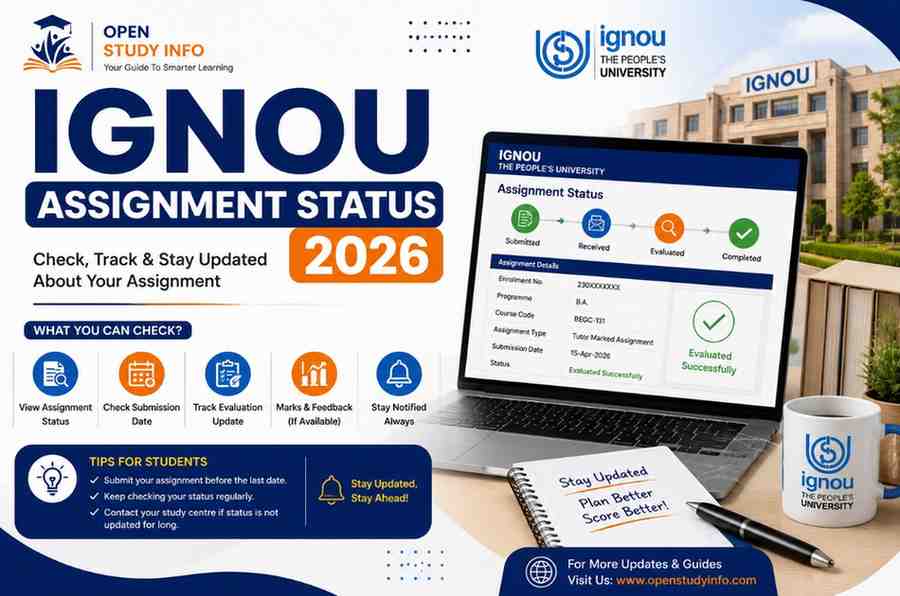
In early April, Kabir submitted his assignments to his Study Centre, kept the acknowledgment slip like he was told to, and thought no more about it until his Term-End Exam form asked him to confirm his assignment submission. He logged in to check his status and was met with “Enrollment number not found.” That triggered three weeks of mild panic before Kabir learned this message is one of the most common — and least concerning — things students see while checking. This guide covers how to check your IGNOU Assignment Status 2026, what each status message actually means, the realistic timeline you should expect, and what to do if your status genuinely isn’t updating.
Why Assignment Status Actually Matters
At IGNOU, Tutor Marked Assignments aren’t optional — they account for roughly 30% of your final grade, alongside the Term-End Examination. Most programme require an overall aggregate of around 40% to clear a course, which means a student who does well in the Term-End Exam but doesn’t submit or track their assignments properly can still end up with a disappointing final grade. Checking your assignment status isn’t just curiosity — it’s your best chance to catch and fix a missing or unsubmitted assignment before the grade card is finalized.
| Detail | Information |
| Where to check | ignou.ac.in → Student Support → Assignment Status |
| What you need | Enrollment number and programme code |
| Assignment weightage | Approximately 30% of the final grade card |
| When it’s updated | Typically 30 to 60 days from the assignment submission date |
| Sessions covered | January and July admission cycles, along with June and December Term-End Exams |
| What it shows | Submission receipt status and evaluation status — not detailed marks |
Read also:Changing Your IGNOU Study Centre Online After Admission
How to Check Your IGNOU Assignment Status 2026 Online
Step 1: Go to ignou.ac.in.
Step 2: From the main menu, click “Student Support.”
Step 3: Select “Assignment Status” from the dropdown.
Step 4: Enter your Enrollment Number in the field provided.
Step 5: Select your Programme Code from the dropdown.
Step 6: Click Submit. The system will display your subject-wise IGNOU Assignment Status 2026, showing whether each assignment has been received and evaluated.
Step 7: Screenshot or download the page for your own records, since the portal isn’t reliable for retaining historical views.
Note: The assignment status page shows only receipt and evaluation status — not your actual marks. Marks appear separately on your grade card once Term-End Exam results are also announced.
What Each Status Message Actually Means
| Status Shown | What It Means |
| Received / In-Process | Your assignment is under evaluation at the university |
| Completed / Evaluated | Evaluation is done and marks have been uploaded to the system |
| Enrollment number not found | Your submission likely hasn’t been processed yet — it’s not lost, this is normal in the early weeks |
| Not Found (after 60+ days) | Worth checking directly with your Study Centre or Regional Centre at this point |
“Enrollment number not found” is exactly the message that surprised Kabir, and it genuinely misleads a lot of students into assuming there’s a problem with their submission. Assignments aren’t processed into the system for nearly a month after the submission deadline — they’re first physically sorted at the Study Centre before being forwarded to evaluators. As long as you submitted within the deadline, an unfound enrollment number this early isn’t a cause for concern. It’s just part of the normal process.
Realistic Timeline: When Should You Actually Expect an Update?
Weeks 1–4 After Submission
Your assignment is likely still at the Study Centre, so don’t expect any update yet.
Weeks 4–8 After Submission
Most students start seeing their status change to “Received” around this point. If your submission was for the December Term-End Exam cycle, expect updates to begin appearing around January–February.
Weeks 8–9 (Around 60 Days)
By now, most of your assignments should show “Completed” status. Marks then get folded into your consolidated grade card alongside your Term-End Exam results.
Beyond 60 Days
If your status is still unclear at this stage, it’s time to actively follow up rather than keep waiting.
Your IGNOU Assignment Status 2026 Isn’t Updating: What to Do
A stuck or missing status past the 60-day mark doesn’t mean your assignment is lost — it just means it’s time to act instead of refreshing the same page.
- Check Your Regional Centre’s Website Directly
Most Regional Centres publish PDF lists of “Received Assignments,” and sometimes “Rejected Assignments,” on their regional pages. Search for your enrollment number in these lists before assuming the worst.
- Email Your Regional Centre
Send an email with the subject line “Assignment Status Not Updated – [Your Enrollment Number],” and attach a scanned copy of your acknowledgment slip. Include your enrollment number, programme code, subject code, and date of submission.
- Visit Your Study Centre in Person if There’s No Response
If email doesn’t get a response within a couple of weeks, a physical visit with your acknowledgment slip in hand is usually the fastest way to get an actual answer, since Study Centres can check their own dispatch records directly.
- Keep Your Acknowledgment Slip Until Marks Are Confirmed
This slip is your only proof of submission if a dispute comes up later. Don’t discard it just because the online status shows “Completed” — hold on to it until your final grade card confirms the same marks.
Common Mistakes Students Make While Tracking Assignment Status
Panicking too early. Checking within the first 3–4 weeks and seeing no update is completely normal — it’s not a sign anything has gone wrong.
Losing the acknowledgment slip. Without it, you have no proof of submission if your Regional Centre’s records don’t show your assignment.
Confusing assignment status with assignment marks. The status page tells you whether your assignment was received and evaluated — actual marks appear separately on your grade card.
Submitting the wrong programme code. A number of students see no submission record in the portal despite submitting correctly, simply because they entered an incorrect programme code.
Overlooking the front page requirement. Some Study Centres require a specific assignment front page format. Incomplete or incorrect front pages can cause unnecessary delays in processing, even when submission was on time.
Assignment Status vs Other Status Checks on the IGNOU Portal
Assignment Status often gets confused with other similar-sounding checks on the IGNOU portal. Here’s how they differ:
| Status Type | What It Tracks | Typical Update Timeline |
| Assignment Status | TMA submission and evaluation | 30 to 60 days |
| Project Status | Project or dissertation submission and evaluation | 45 to 60 days |
| Study Material Status | Dispatch of printed course material | Depends on Regional Centre stock and dispatch cycle |
| Grade Card | Combined assignment and TEE result | Released after both components are finalized |
People also read:NIOS or IGNOU, Which Is Best?
Why the Status Sometimes Shows “Received” for Weeks Without Moving to “Completed”
This is one of the more frustrating parts of tracking IGNOU Assignment Status 2026, and it usually comes down to how evaluation actually gets distributed. Assignments submitted at a Study Centre first need to be physically sorted by course and subject, then handed off to evaluators — who are more often than not working academics with their own teaching responsibilities rather than dedicated full-time staff. A “Received” status simply confirms your submission made it into the system; it says nothing about how far back in the evaluator’s queue your particular batch sits. Subjects with larger enrollment, or evaluators covering multiple Study Centres, typically take noticeably longer to move from “Received” to “Completed.” Sitting at “Received” for 6 to 8 weeks is completely normal — it only becomes worth following up once you’re past the 60-day mark discussed earlier.
Study Centre vs Online Assignment Submission
IGNOU has widened the scope for online assignment submission across recent sessions, and the tracking experience differs slightly depending on which route you used. Assignments uploaded through the official online submission portal get an automated digital confirmation, which some students find more reassuring than a physical acknowledgment slip, since it leaves an unalterable timestamp on record. That said, submitting online doesn’t speed up the evaluation itself — your assignment still enters the same evaluator queue as physically submitted ones, so the same 30 to 60 day window applies either way. If you submitted online, save the confirmation email or downloaded receipt with the same care you’d give a physical acknowledgment slip, since it serves exactly the same purpose.
What to Do If You Missed the Assignment Submission Deadline
If you’re checking your IGNOU Assignment Status 2026 and finding nothing simply because you submitted late or missed the deadline entirely, that’s a different situation from a delayed status update. Late assignments beyond the official cutoff generally aren’t accepted for that Term-End Exam cycle, which means you’ll see no status at all — not because of a processing delay, but because there’s nothing in the system to process. In this case, your best option is to contact your Regional Centre directly and ask whether a late submission window or re-registration for the next cycle is possible for your specific programme, since policies vary. Waiting and repeatedly checking the status page won’t resolve a missed deadline the way it resolves a genuinely delayed evaluation.
Why the Assignment Front Page Matters More Than Students Realize
A surprising number of assignment status delays trace back to something as simple as an incorrect or missing front page. The front page is the first thing an evaluator sees, and it typically needs to display your name, enrollment number, programme code, course code, and assignment code clearly and correctly. Some Study Centres also require a specific institute-provided front page format rather than a generic one, and submitting without it — or with mismatched details — can leave your assignment sitting unprocessed longer than it should, even though it was technically submitted on time. Before you submit, it’s worth confirming directly with your allotted Study Centre whether they expect a particular front page format — it’s a small detail, but it can meaningfully affect how quickly your submission moves through the system.
Read more:IGNOU Assignment Status Not Updated
FAQs
Q1. How do I check my IGNOU Assignment Status 2026?
Go to ignou.ac.in, click Student Support, then Assignment Status. Enter your enrollment number and programme code, and click submit.
Q2. How long does IGNOU take to update assignment status?
Typically 30 to 60 days after the deadline. If your session had the December Term-End Exam, expect your status to be updated around January or February.
Q3. What does “Enrollment number not found” mean on the assignment status page?
Usually, the system hasn’t processed your submission yet, which is normal within the first 4 to 6 weeks after submission. It doesn’t mean your assignment is lost.
Q4. Can I see my actual assignment marks on the status page?
No, the assignment status page only shows receipt and evaluation status. Actual marks are recorded separately on your final grade card.
Q5. What should I do if my assignment status isn’t updated after 2 months?
Check your Regional Centre’s website for a published Received Assignments list. If your assignment isn’t on it, email your Regional Centre with your enrollment number, programme code, and a copy of your acknowledgment slip.
Q6. How much of the final result do assignments account for?
Assignments typically account for about 30% of the final grade, with the Term-End Examination making up the rest.
Q7. What’s the minimum aggregate required to pass a course with assignments?
Most programmes require a minimum aggregate of around 40% across Term-End Exams and assignments combined to pass a course.
Q8. Should I keep my assignment acknowledgment slip after submission?
Yes, keep it until your assignment marks are posted on the grade card. It’s your only proof of submission in case of a dispute.
Conclusion
Checking your IGNOU Assignment Status 2026 is simple once you understand the system and set the right expectations. Seeing no status early on isn’t a reason to panic — it just reflects normal processing time of about a month. Give it 30 to 60 days for status to change, and if nothing’s updated after that, check your Regional Centre’s published list and follow up by email with your acknowledgment slip in hand. Keep that slip safe regardless of what the portal shows, since it’s your only real proof of submission if a dispute comes up later. For more IGNOU guides on assignments, projects, and exam updates, visit openstudyinfo.com.
Still stuck on your IGNOU assignment status? Explore more IGNOU guides on openstudyinfo.com.